Review Comments (3) Screenshots (3) Questions & Answers (0) Votes (5) Awards (8) Wiki  
-Please log in to rate
4.8 4.8/5 (5)
-Macecraft Software
-1.9.1.606
-www.macecraft.com
-Shareware
-29.95$  Purchase
- 4 654 people
Download jv16 PowerTools...

5.54 MBDownloaded 265 times

 
This software was checked for viruses 23 days ago and was found to contain no viruses
Click here to see antivirus report.

Review

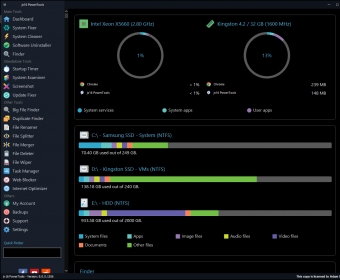
jv16 PowerTools 2009 1.9.0.531is a program to optimize Windows. This utility makes changes in your system files and registry, in order to ensure a smooth running of your computer, and an improved stability. When you install the program, it offers you to keep it connected to Macecraft´s servers, in order to ensure faster updates. It also recommends you to include the program´s path to the list of exceptions in your antivirus software. Once the program is installed, it will run an initial scan of your system. It will assign a score to your system´s health. If it is below 100, it´s recommended to use the enhancing tools. These tools are divided into groups. The Registry Tools include toos to manage, find and replace entries, clean, compact and monitor the registry. The File Tools include utilities to find, clean, recover, organize, erase, find duplicates and directories and modify directories. The System tools allow you to uninstall programs, set the ones that will run on startup, automate processes or optimize the system. The Privacy Tools will allow you to clean the history or system, or the hard disk.

Every tool of this suite will offer you to backup the settings you optimize, to roll back changes in case anything goes wrong.
Advantages
  • It´s a complete and powerful tool to enhance your system´s performance.
Disadvantages
  • None.

Reviewed by: Daniel Ángel Romero

Reviewer rating: Editor's rating 5

Screenshots

Initial Scanning Initial Scanning Scan Results Scan Results Registry Cleaner Registry Cleaner

Latest comments

Norman Johnson(beginner) 8 months ago 
Hello!
I have been using jv16 Power Tools for more than 5 months. About the "jv16 Power Tools 2008", At first while I was installing, it was slower. But after the full installtion....i got the best results.
Everything is fine and have great combination of tools to perform multiple tasks. Yup!!! Makes the computer faster and smoother. It automatically cleans the windows registry. Recently, I upgraded the latest version.
jv16 Power Tools ROCKS!
Halle(beginner) 9 months ago 
I had a very heavy loaded computer and I didn't have so much time to clean the registry and free the disk space at all. My friend recommended jv16 to me last month and I just purchased it since he told me it was a very impressive program. Well, to be honest, I expected it to be faster, although I have more disk space now but the speed is still kind of slow. Anyway, what I like are the file backup and the advance cleaning features, I think overall it does a good job though.
Mlikendra(beginner) 9 months ago 
Hi! I have been using jv16 software for more than 4 months. I updated the lastest version jv16 Power Tools 2009. I'm really lucky to have in my computer. It's even more faster than before. Features of this software are really mind blowing. It automatically cleans the windows registry. Like the name given "jv16 Power Tools", it really have the power to perform different tasks. Most of all MY COMPUTER IS FASTER. But the only simple problem is that it appears automatically in windows screen which i need to disable. I know it sounds like it's not problematic. May be it is not for others but for me. Anyway, I love using jv16.
It ROCKS!!
Add new comment All 3 comments
Tag cloud
Download siClient

Email Address:

Password:

Register now »

Forgot password?

Copyright © 2009, Informer Technologies, Inc. About| Privacy and terms| Help| Feedback